Tidy desk cables with things you already own
Most desk-cable mess is just too many leads, loose behind the desk. You can get them off the floor with things already in a junk drawer.

Quick answer
Unplug anything you do not use every day, then bunch the rest with hair ties, twist ties or leftover string and clip the bundles to the back of the desk with bulldog clips or tape. Sit the extension lead in a shoebox or on a book, not on the floor, and do not run cables under a rug.
Last updated:
A nest of cables under a home-office desk gathers dust, snags your feet and looks worse than the work you are actually doing. You do not have to buy a tray, a spine or a sleeve to get the leads under control.
The aim is not a spotless photograph. It is a desk where you can see the floor, reach the plugs, and unplug things safely, using what is already in the house.
Who this guide is for: Anyone working at a messy home desk, especially renters who cannot drill, standing-desk users whose cables snag, and households with children or pets who might pull or chew a trailing lead.
How this was written: This is a short tip page with no product or retailer links and no prices. The safety notes follow Electrical Safety First guidance on overloaded sockets and trailing leads. The rest is a practical tidy-up using things most households already have.
1. Take everything off the floor and unplug what you can
Pull the desk out a little if you can, or work from the side, and unplug the leads at the wall or extension socket. You need to see what you actually have. Test each cable: if you have not used it this week, it does not need to live on the desk.
Phone chargers, spare HDMI leads and old laptop bricks can go in a drawer or a box. The fewer cables in play, the easier the rest of the tidy-up.
2. Make one charging corner, not five long leads
If a phone, watch or earbuds only charge now and then, give them a single spot, perhaps at the end of the desk or on a side table, rather than running a separate cable to the middle of the work surface. One short lead is easier to manage than three long ones.
Label the keepers with a scrap of masking tape and a pen (laptop, monitor, lamp) so you are not tracing each one under the desk the next time something is switched off.
3. Bundle loose cables with what is in the junk drawer
Hair ties, elastic bands, leftover bread-bag ties, short lengths of string or even strips of fabric will hold a bundle together. Group cables that travel the same way, for example the monitor and laptop leads that all drop down one leg of the desk, and leave a little slack so nothing is pulled tight.
Do not wind a cable into a tight coil while it is plugged in and under load, and do not staple or nail through a flex. A loose bundle you can still unplug is the goal.
4. Clip bundles to the desk with bulldog clips or tape
A bulldog clip, binder clip or even a strong wooden peg on the back edge of the desk will hold a bundle up and off the floor. If you cannot clip on, a short run of well-pressed tape along the inside of a desk leg will keep a cable in place; reusable hooks from an old string of lights work too, if you already have them.
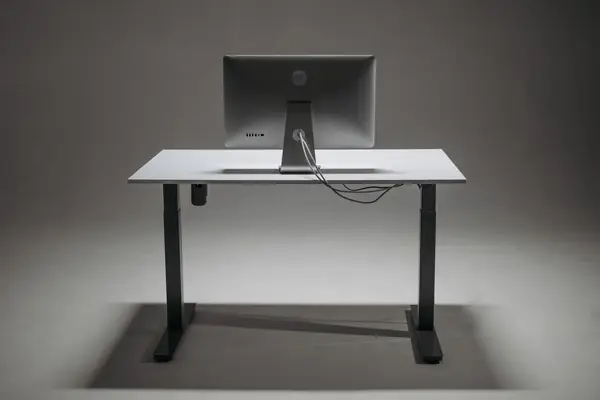
On a standing desk, leave a loose loop between the bundle and the floor so the cables can move when the desk rises, rather than pulling tight on the plug.
5. Get the extension lead off the floor
Sit the extension lead on a book, in a shoebox with a hole cut for the flex, or on a spare Tupperware lid, so it is not lying in dust, crumbs or a winter puddle from wet shoes. Keep the sockets facing somewhere you can reach and see.
Do not daisy-chain extension leads, and do not cover an extension or a coiled cable with a rug, a cushion or a pile of paper. Electrical Safety First warns that overloaded sockets and covered leads are a common fire risk in the home.
6. Do a five-minute reset once a week
Cables creep back. Once a week, push the bundles back into their clips, return spare chargers to the drawer, and check that nothing has slipped under a rug or been pinched in a drawer. A short reset is quicker than starting from a nest again.
FAQs
Is it safe to use an extension lead under the desk?
Yes, if it is a UK-standard lead, it is not overloaded, you can reach the switch, and it is not covered or sitting on a damp floor. Do not plug an extension into another extension. If a plug or lead feels warm, unplug it and replace it.
Can I run cables under the rug to hide them?
No. Cables under a rug get worn, run warm and are easy to forget. Route them along a desk leg or skirting instead, or sit them in a box you can still see and reach.
What if I cannot move the desk away from the wall?
Work from the side with a torch. Unplug one device at a time, bundle as you go, and clip the bundle as high as you can reach on the back edge. You can still get most of the mess off the floor without a full pull-out.
Will this work with a standing desk?
Yes, if you leave a loose loop of cable that can travel as the desk moves. A tight bundle from the desktop straight to a socket will snag or unplug itself the first time you raise the desk.
When should I stop and replace a cable?
If the flex is frayed, the plug is cracked, the cable feels warm in normal use, or a pet has chewed it, stop using it. A tidy-up is not a reason to keep a damaged lead in service.
If anything on this page looks wrong or out of date, let me know.